


Enter all the desired criteria: the apps that satisfy them all will be searched; if a criterion is specified multiple times, only the last occurrence will be considered.




















































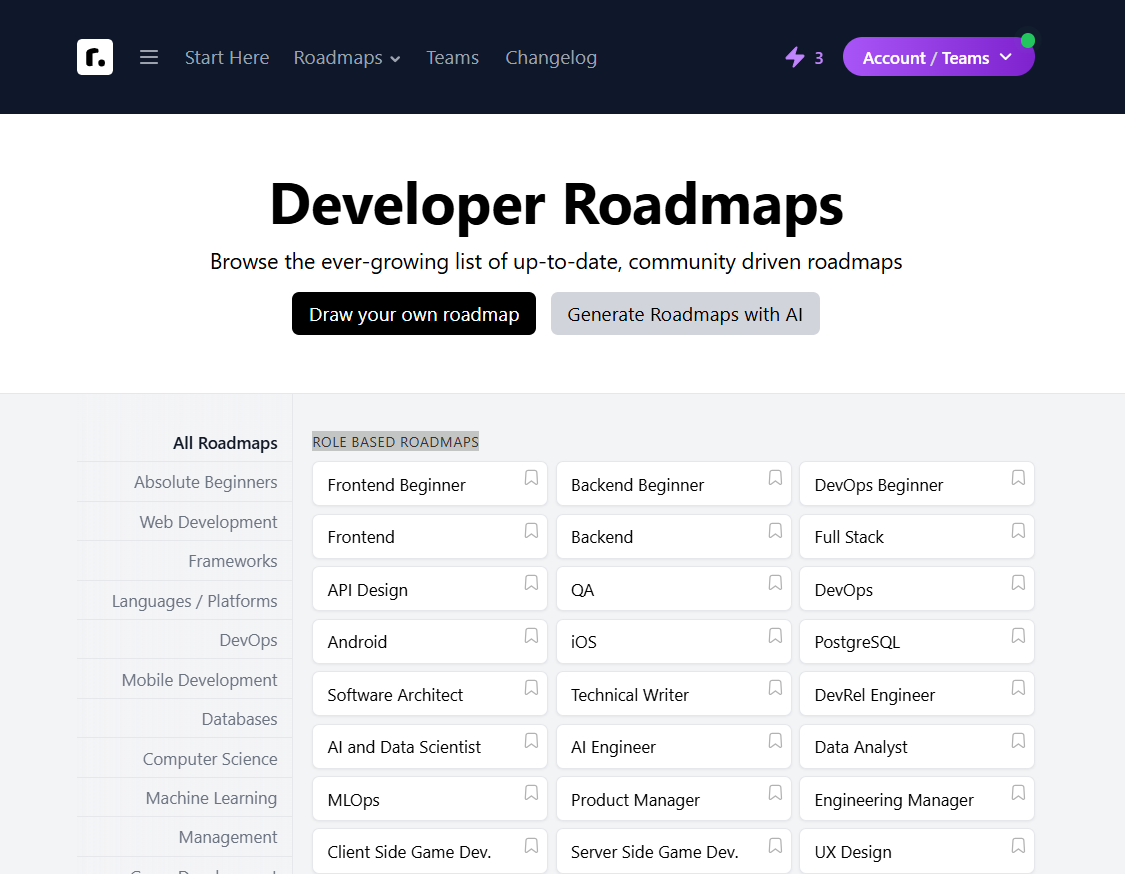
From the home page it is possible to access, without authentication, about sixty maps dedicated to training developers on different technologies. The maps are divided into the two categories: role-based and skill-based roadmaps.
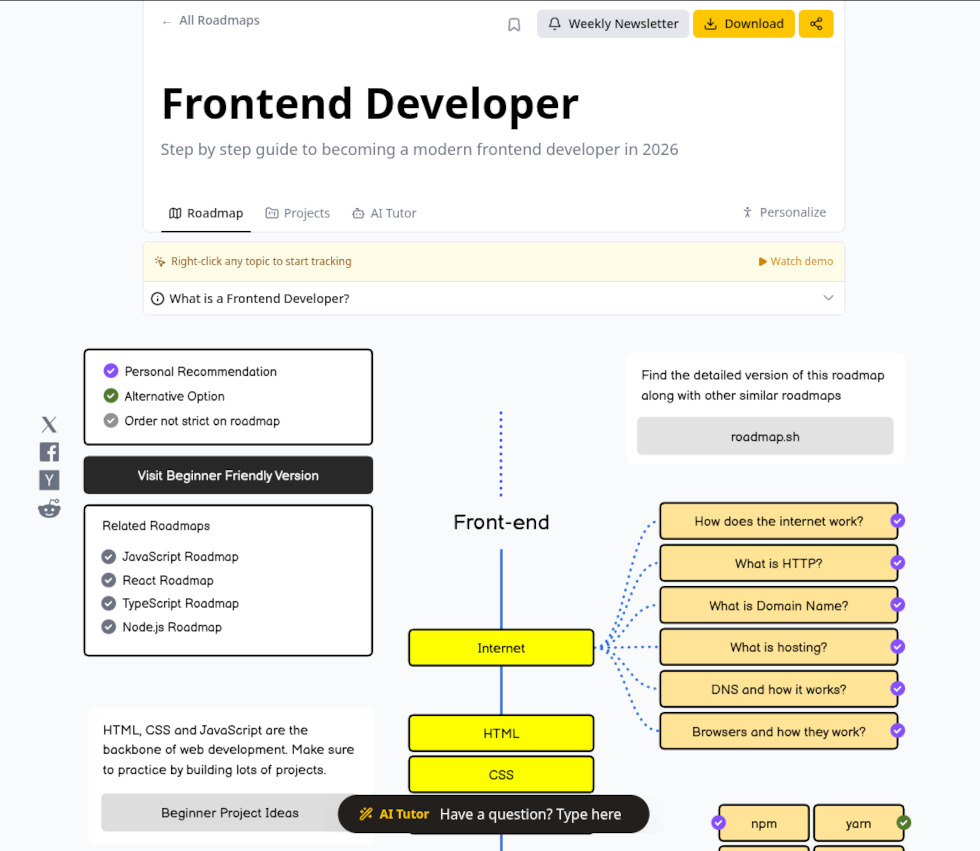
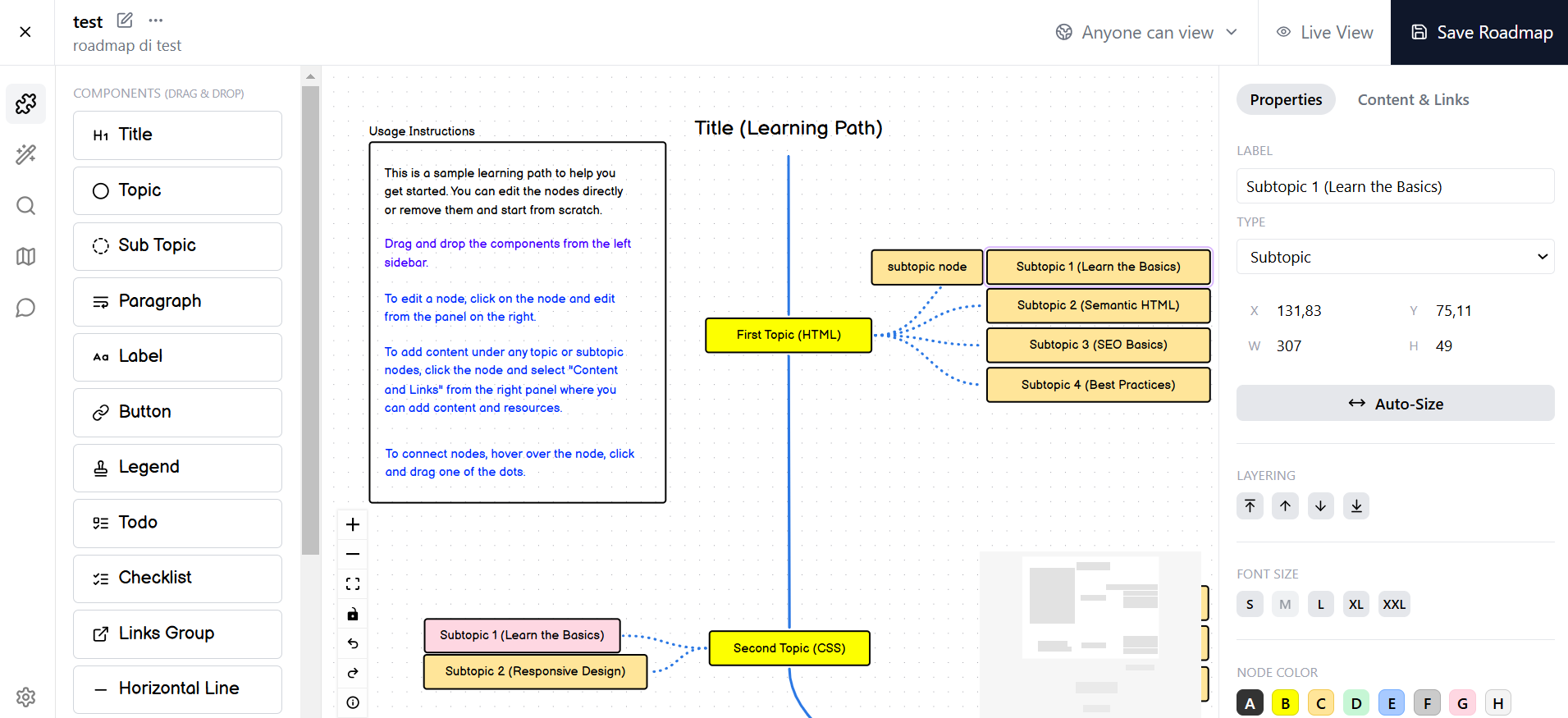
The appearance of a roadmap can be seen in the figure below; a map can contain elements of different types, for example, a title, first-level nodes (in yellow) and second-level nodes (in beige) are visible in the figure. The nodes are connected by arcs that can be continuous or dashed and oriented by arrows. Maps can be downloaded in PDF format or shared via link and social media. The platform also provides access to a repository of guided projects designed to put roadmap topics into practice, as well as an AI Tutor—a dedicated chatbot for asking specific questions about the learning paths.
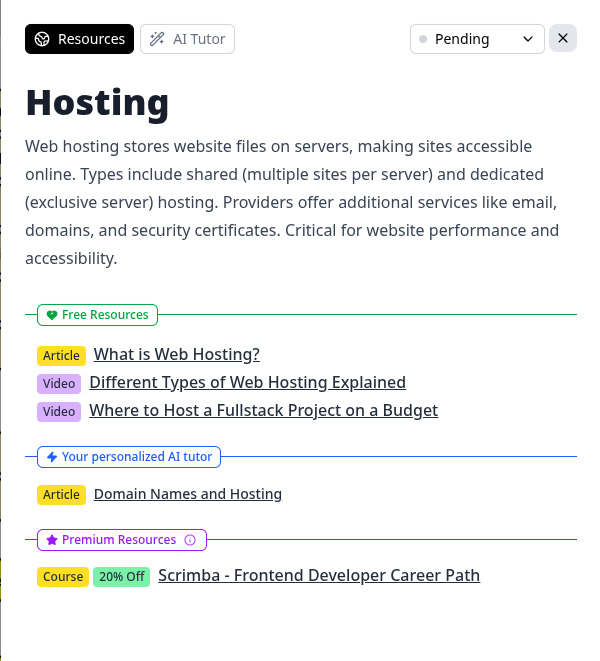
Clicking on a node gives access to the associated content, which consists of a title, a textual description, and a number of external links of different types (Web page, article, video, podcast, course, etc.). It is also possible to mark the content as done, in progress, or skipped. Through the AI Tutor function, a dedicated chatbot can also be accessed to ask questions about the selected topic, the system offers a set of predefined questions or allows for the entry of custom ones. Additionally, the AI can be requested to formulate specific questions to test the level of knowledge acquired on the subject.
As we will see below, after authentication it will be possible to create personal maps on any topic even with the use of Artificial Intelligence.
It is possible, in addition to official maps, to search for public maps made by other users (Community Roadmaps). In addition to maps, the platform offers other types of products (which, however, cannot be generated by individual users): examples of projects to be carried out as an exercise, collections of questions, guides, videos, and lists of best practices.
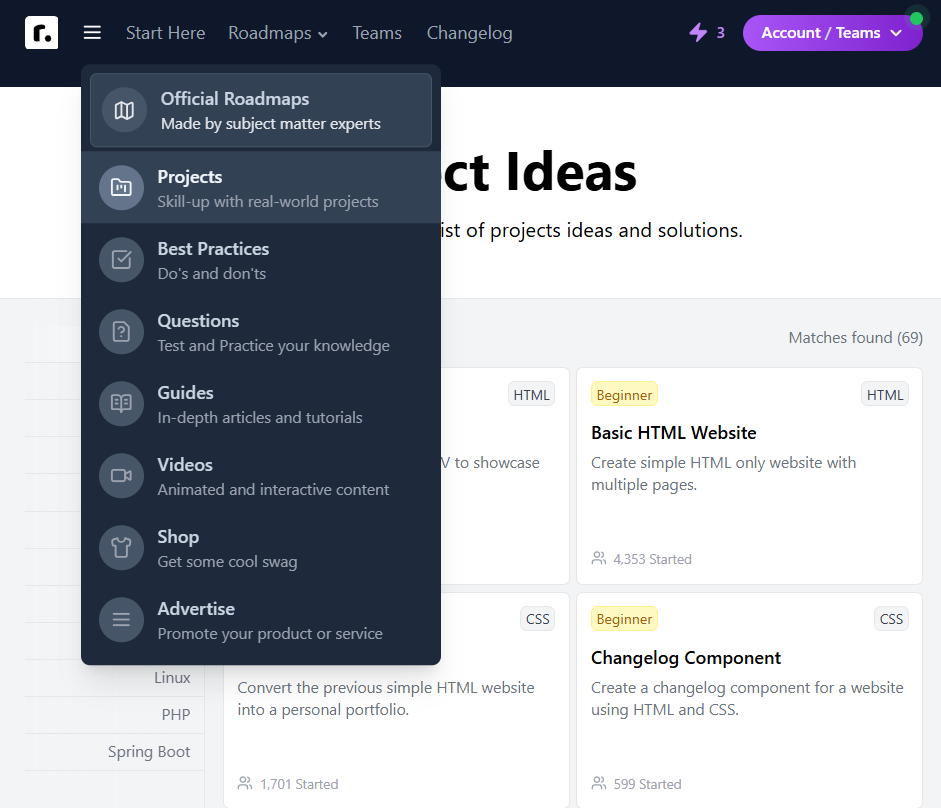
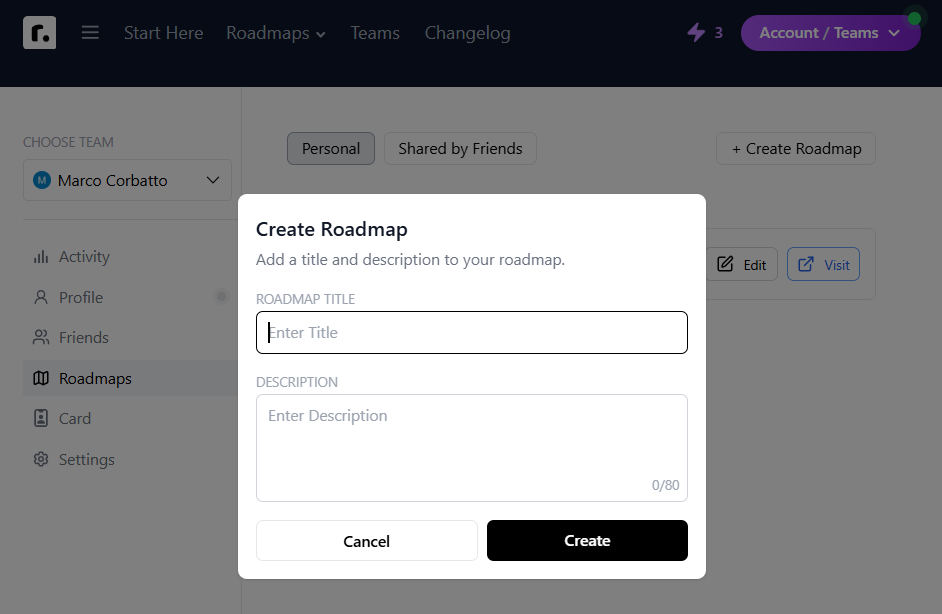
Let us now look at the creation of a new map: after authentication, from your dashboard, you access the “Create Roadmap” function.
The map edit window allows you to insert numerous types of elements by dragging and dropping them from the left list and then edit their properties and contents through the right window.
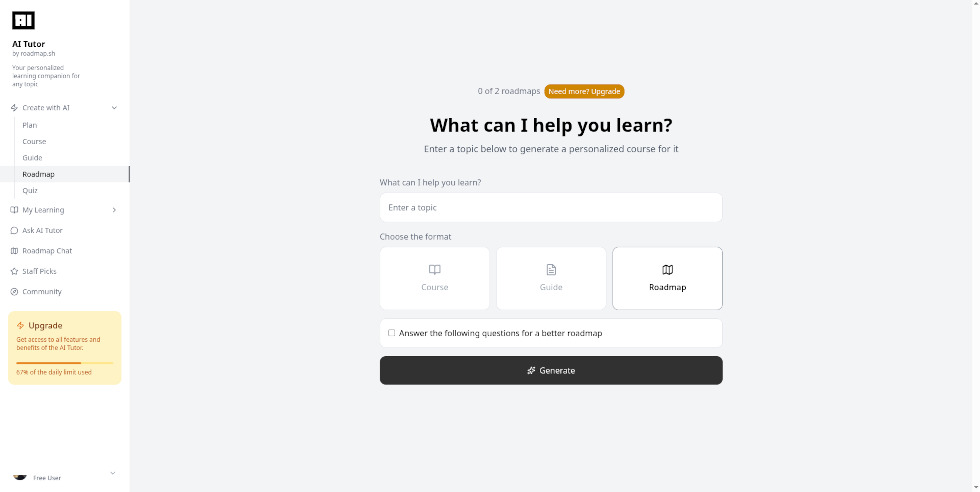
This screen is dedicated to content creation via the AI Tutor. In addition to roadmaps, it is possible to generate study plans (Plan), courses divided into modules (Course), guides on specific topics (Guide), or self-assessment quizzes (Quiz). By selecting the 'Answer the following questions for a better...' option, the artificial intelligence asks preliminary questions to better customize the content based on the preferences provided. The free plan allows for saving up to two contents per category, accessible through the 'My Learning' section in the left menu; once this limit is reached, an existing item must be deleted to create a new one. Finally, the orange box at the bottom left displays the percentage of the daily limit used for AI features.
Roadmap can be used in educational contexts to:
Mind mapsDesigning & PlanningOthersSteamContent collectorsLink collectorsA.I. toolsGroups management 0/5
5
0/5
5
0/5
5
0/5
5
0/5
5
0/5
5
0/5
5
0/5
5
0/5
5
0/5
5
 Add comment







Copy link