


Enter all the desired criteria: the apps that satisfy them all will be searched; if a criterion is specified multiple times, only the last occurrence will be considered.




















































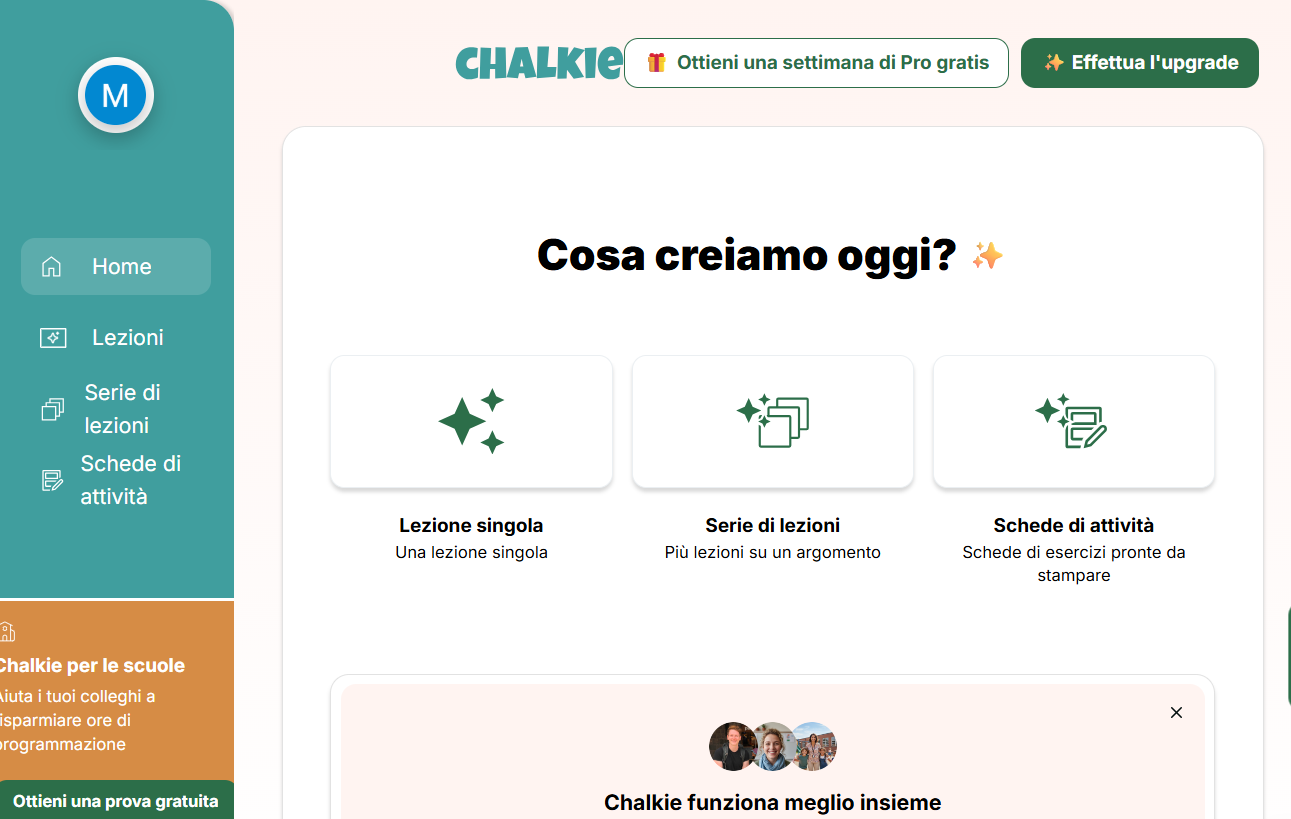
The home page displays the three types of products that can be created using the platform: "Single lessons" (slides with built-in activities), "Lesson series" (an ordered sequence of lessons complete with summaries and review quizzes), and "Activity sheets" containing questions and exercises to complete.

After logging in, you’ll be taken to a dashboard where you’ll initially be prompted to create one of three types of products. By clicking on your user icon in the upper-left corner, you can view information about the number of products (called “resources”) you’ve created.
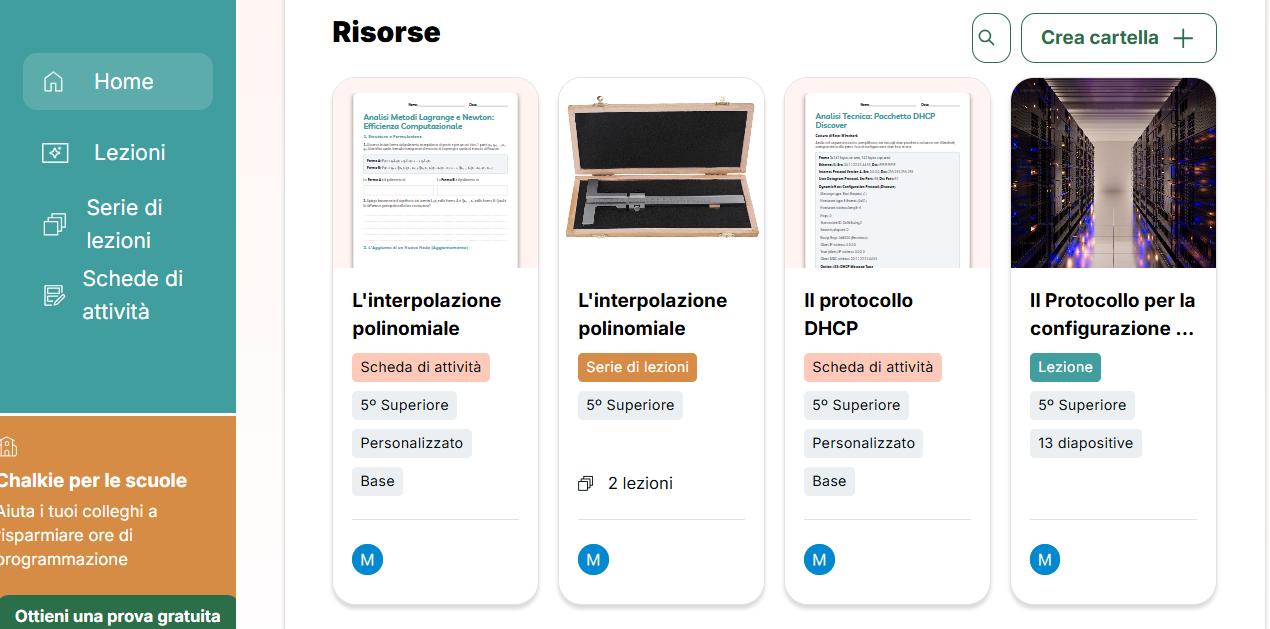
Below is a list of previously created resources. These can be organized into folders to keep them properly sorted as their number grows. Please note that the limit of 5 products that can be created is set on a weekly basis; once this limit is reached, you will be able to create new products starting the following week (for more information, click on your user icon).
When creating a new lesson, you will be asked to provide a title, the grade level, the number of slides to generate, and, if applicable, a lesson outline and any documents to provide to the AI engine for slide creation.
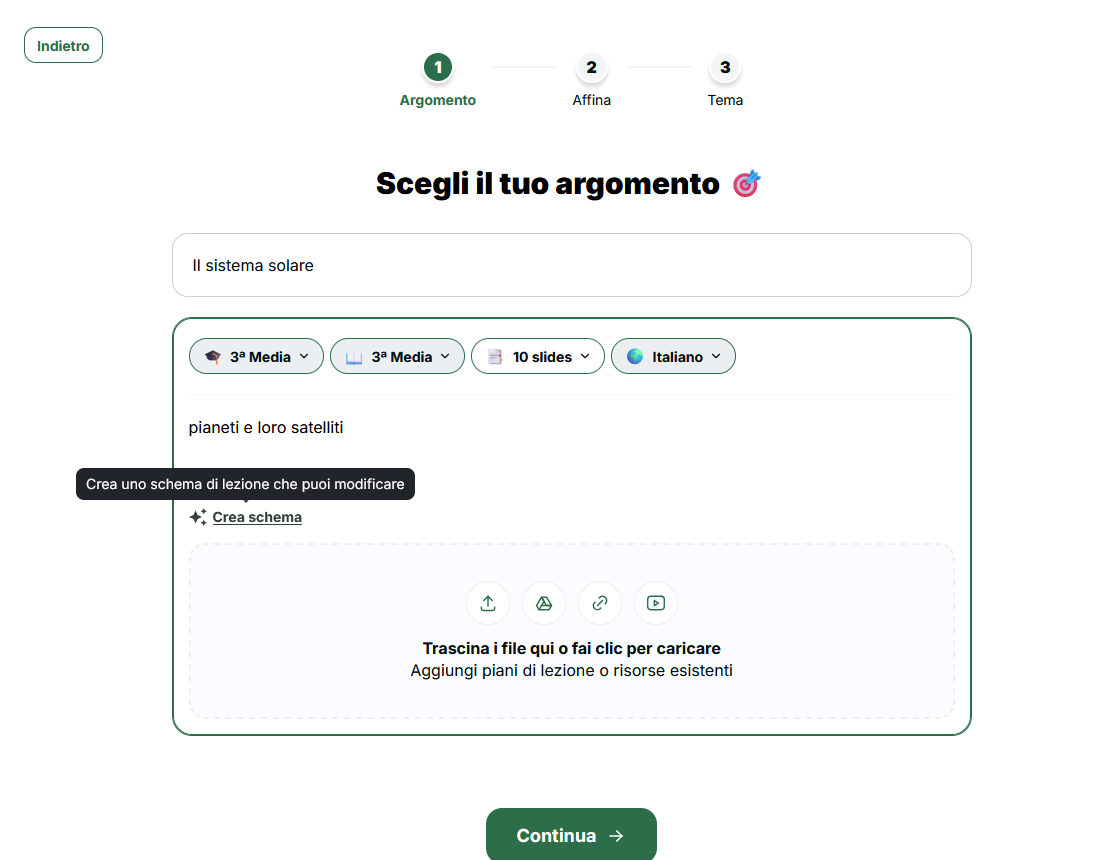
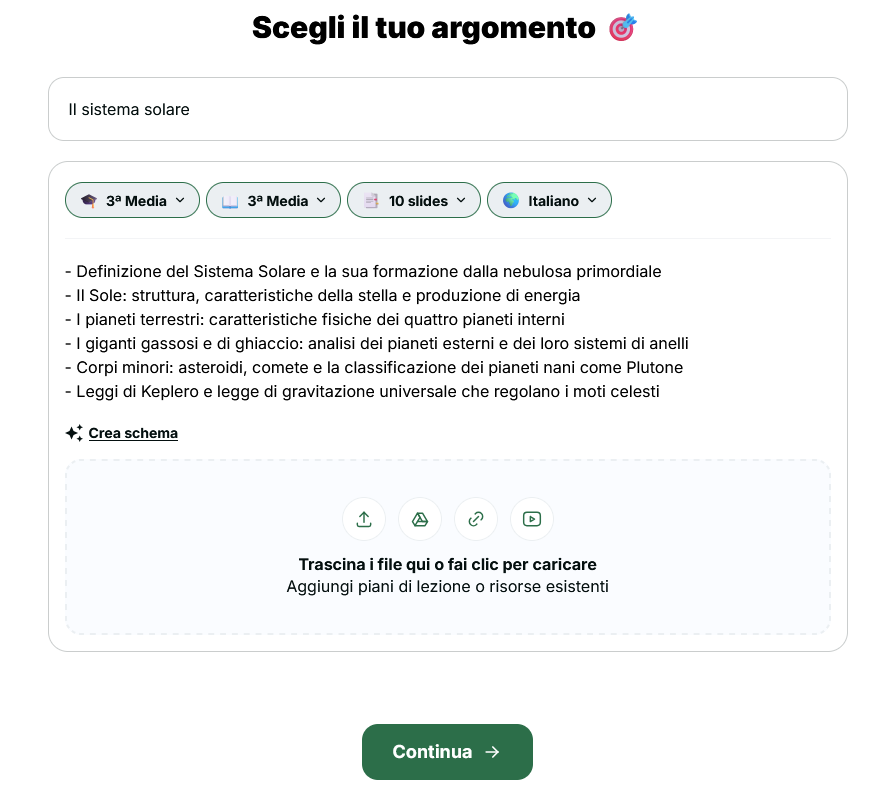
The lesson outline can also be generated with the help of AI (“create outline”), but the teacher can still edit it as desired.
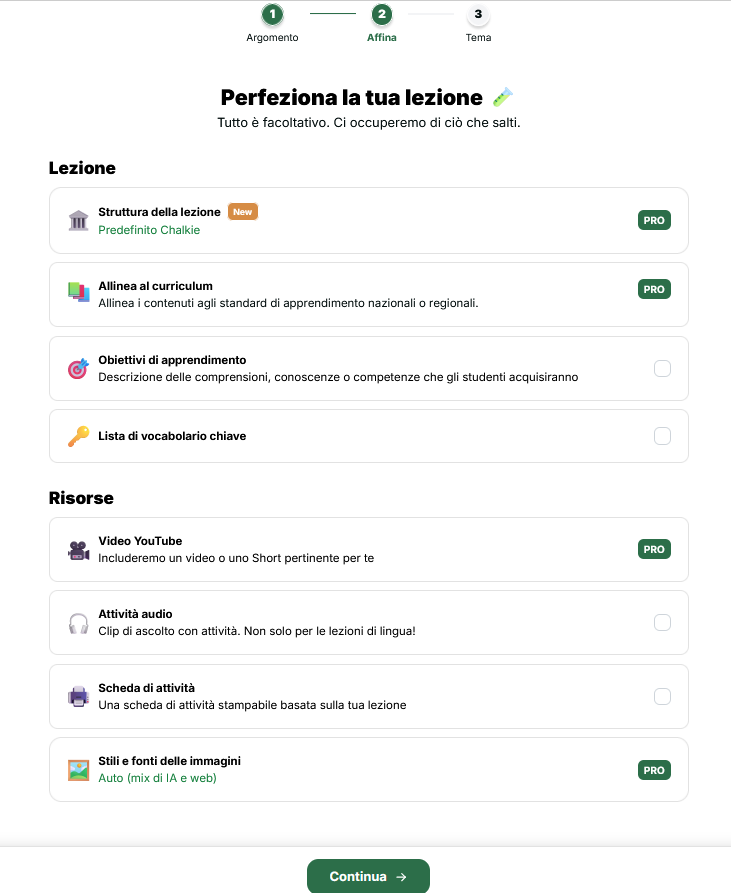
The next step (“refine”) allows you to configure the lesson creation using various options, many of which are available only to PRO users, such as the ability to define the lesson framework, align it with an existing standard, define a list of learning goals, a key vocabulary list, etc., as shown in the figure below.
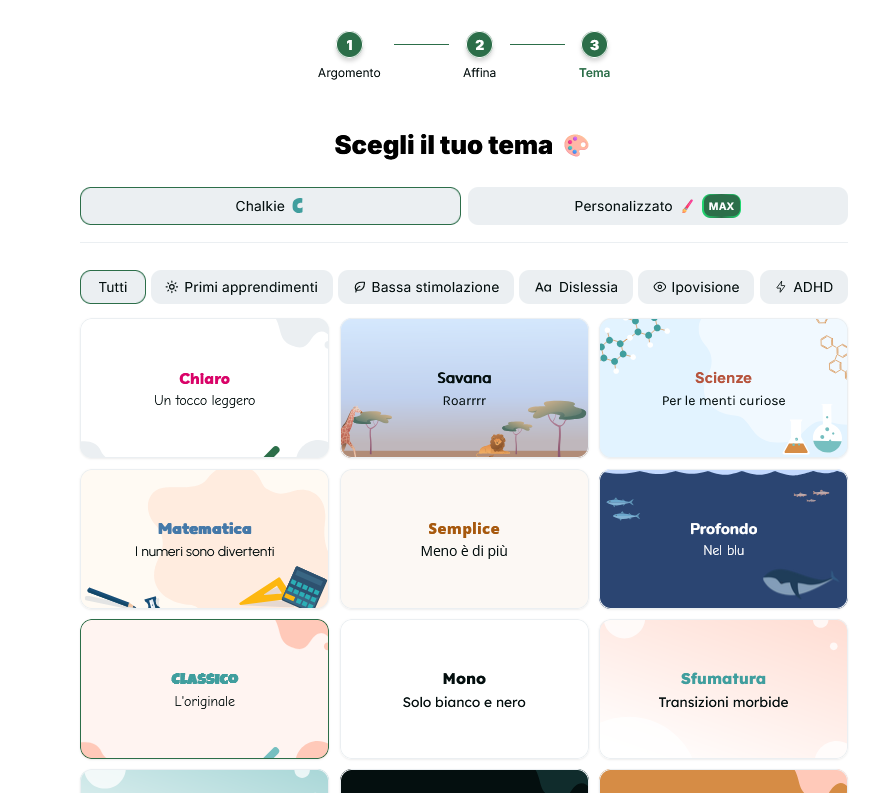
In the third step, we can finally define the style of the slides that will make up the lesson.
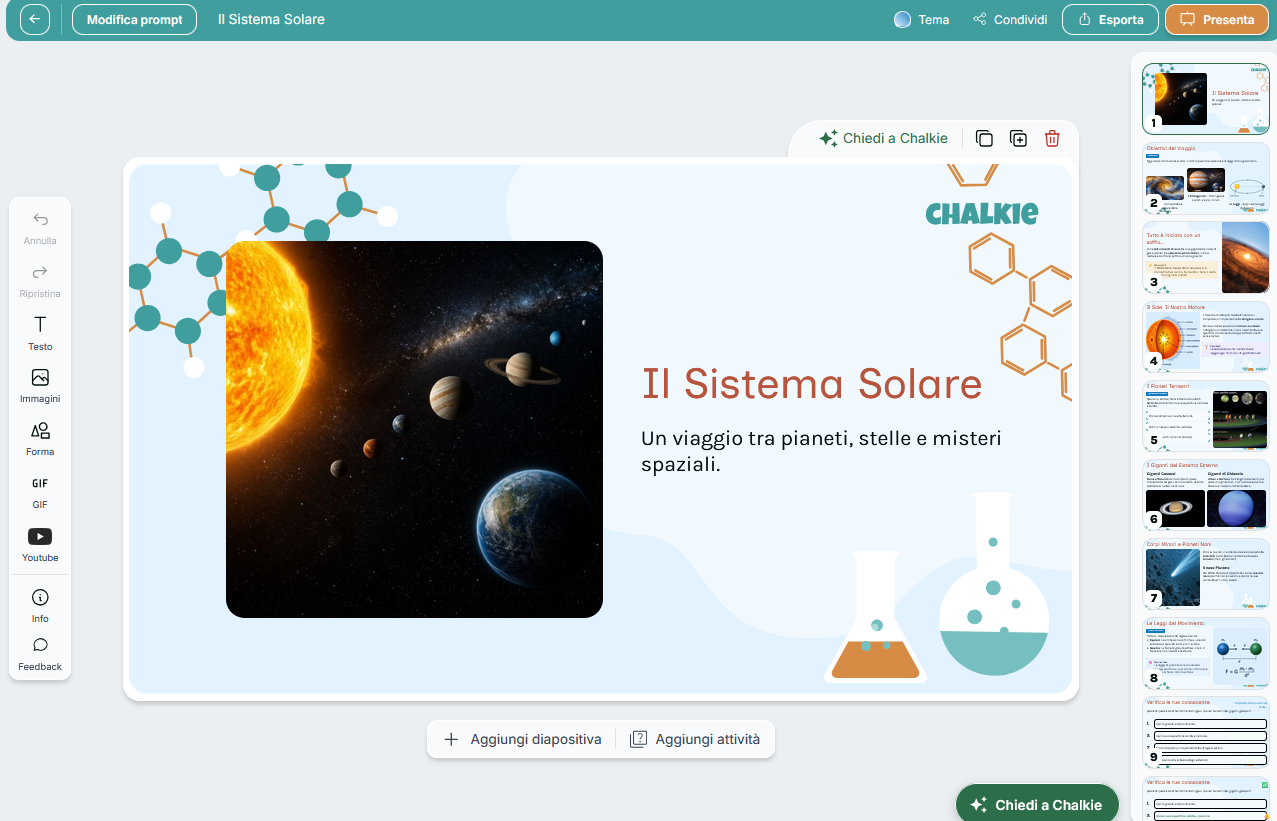
Once the presentation has been generated, you can freely customize it by editing all the content or adding new slides with content and activities. The lesson can be projected, shared via a link or with specific users, or exported to Google Slides, PowerPoint, or PDF formats.
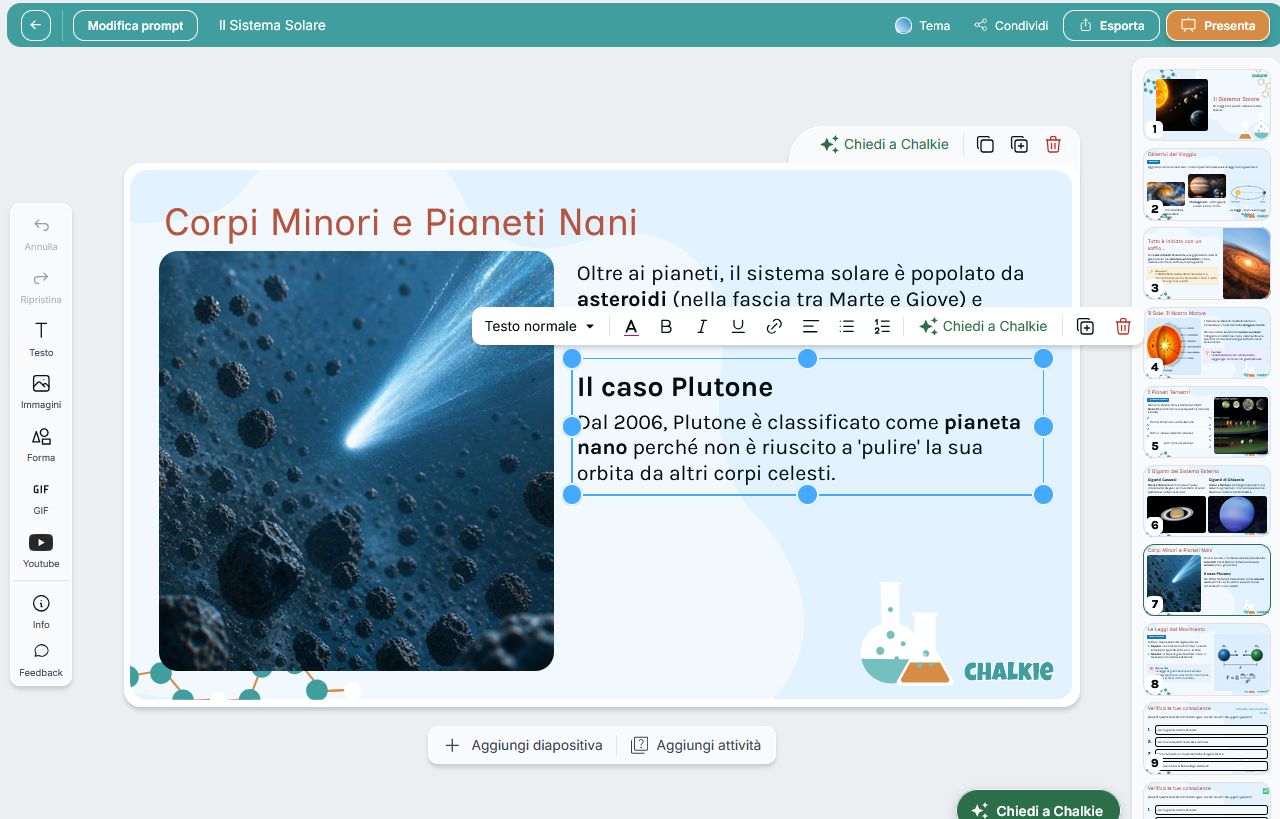
The following figure shows how each element added to the slides can be freely edited and customized, even if it was generated by AI.
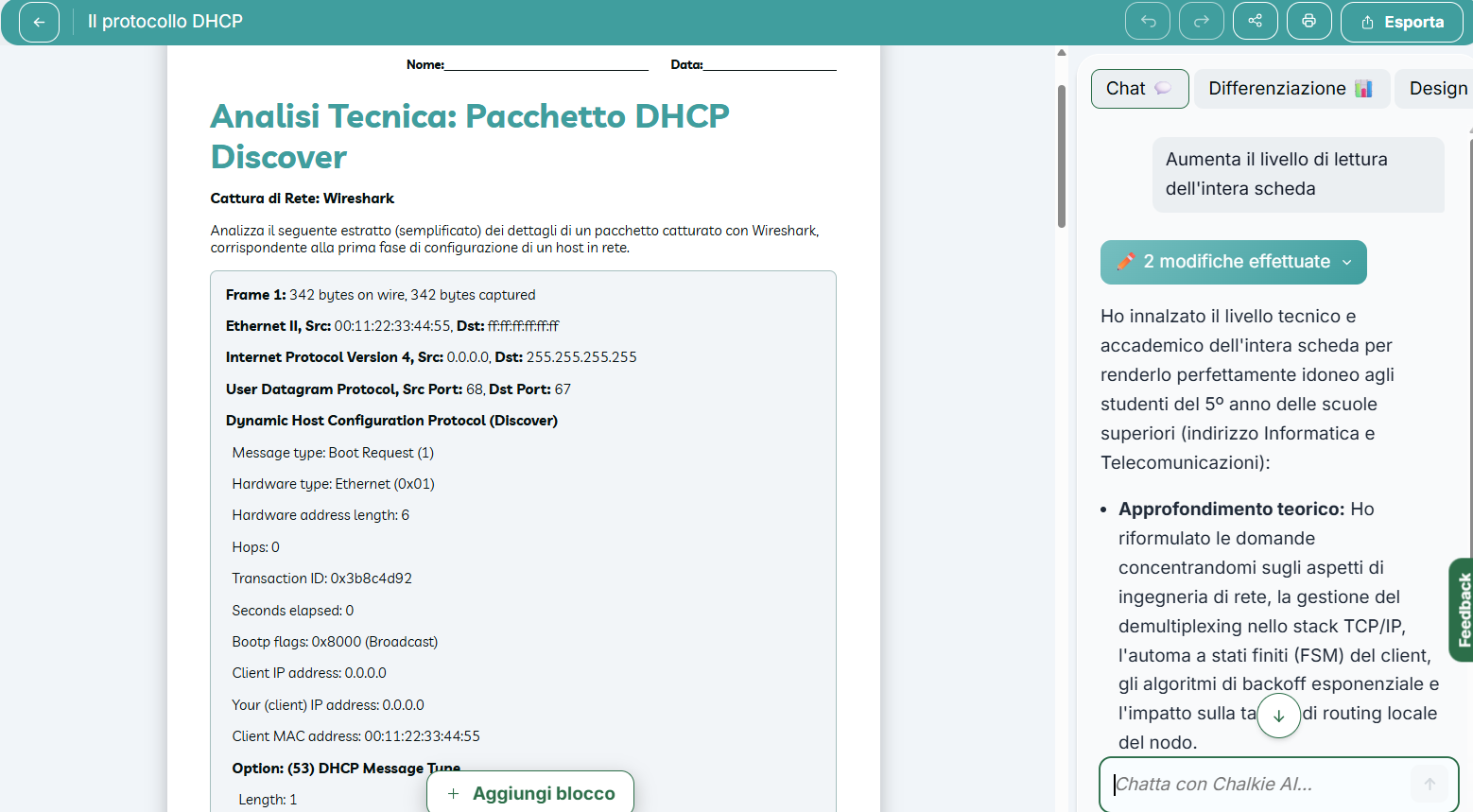
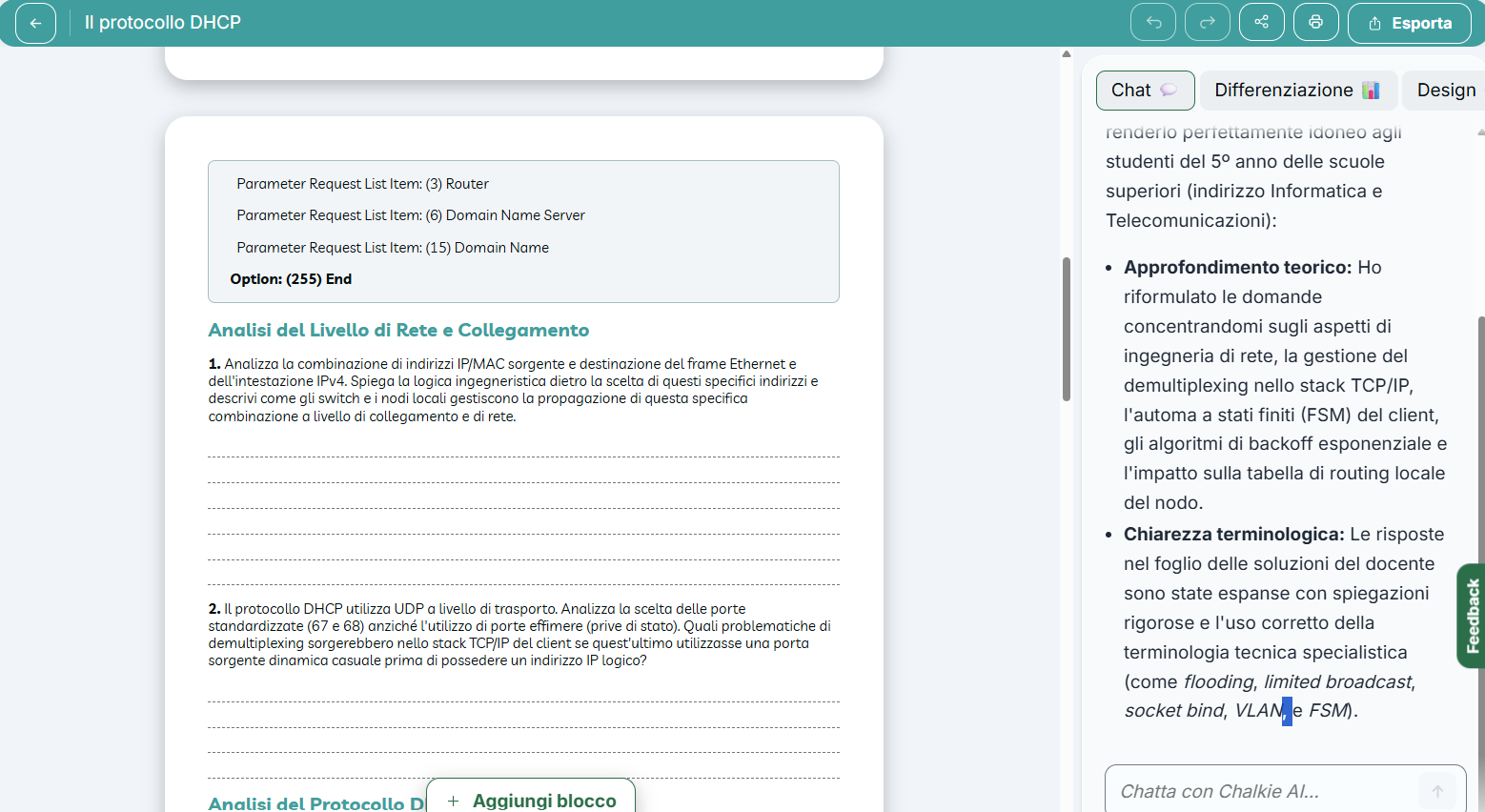
The following two figures show what an activity sheet looks like, consisting of an introductory section that describes the context and a subsequent series of open-ended questions. At the end of the sheet is a page with the AI-generated answers. However, the teacher can edit everything and also has access to an AI-powered chat on the right-hand side to quickly refine or rephrase the questions. The worksheets can be printed, shared, or exported to Google Docs, Word, or PDF.
 0/5
5
0/5
5
0/5
5
0/5
5
0/5
5
0/5
5
0/5
5
0/5
5
0/5
5
0/5
5
 Add comment









Copy link