


Enter all the desired criteria: the apps that satisfy them all will be searched; if a criterion is specified multiple times, only the last occurrence will be considered.






































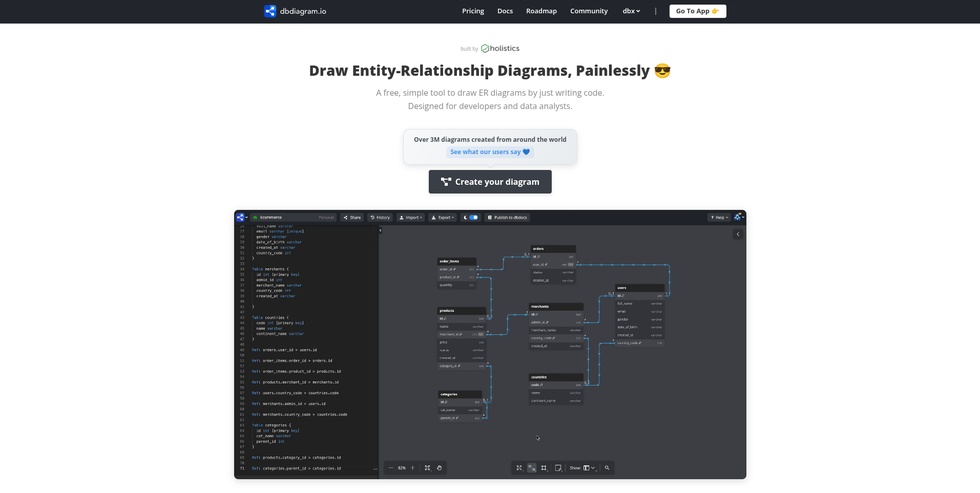
The following page shows the dbdiagram.io homepage. Through the top navigation menu, you can directly access the pricing and documentation sections of the app. A demo video plays automatically in the center of the screen. Scrolling down the page, the core features of the software are illustrated, accompanied by a selection of user reviews and frequently asked questions (FAQs). To start designing, you can click the 'Go to App' button in the top menu or the central 'Create your diagram' button.
Once logged in, you enter directly into the application's main workspace, where a sample diagram is preloaded. On the left side of the screen is the dedicated editor for writing DBML code, while on the right side, the corresponding relational diagram is generated and updated in real time. Finally, on the right edge of the interface, a panel dedicated to managing partial views is available, allowing you to select and isolate only the desired tables within the diagram to save custom schema configurations.
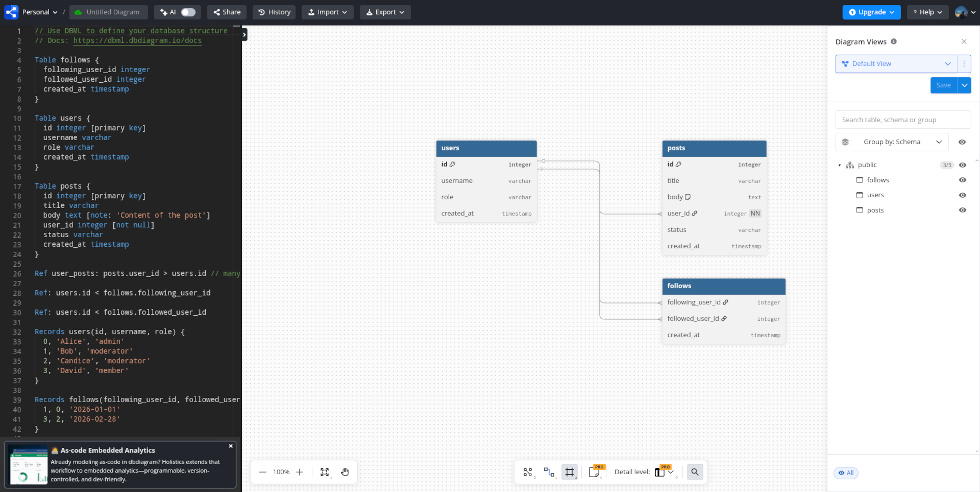
This screen shows how the top navigation menu provides access to the personal dashboard containing the user’s projects, allows users to name the current project, and enables the AI chatbot. The chatbot appears to the left of the code area and allows users to modify or create diagrams through text prompts; however, this service is reserved for premium users.
From the same interface, it is also possible to share the diagram. However, the free plan only allows sharing via a read-only link: users who receive the link can therefore make changes only by creating a new copy of the project in their own account. The History section, reserved for premium plans, is also available and allows users to view the change history.
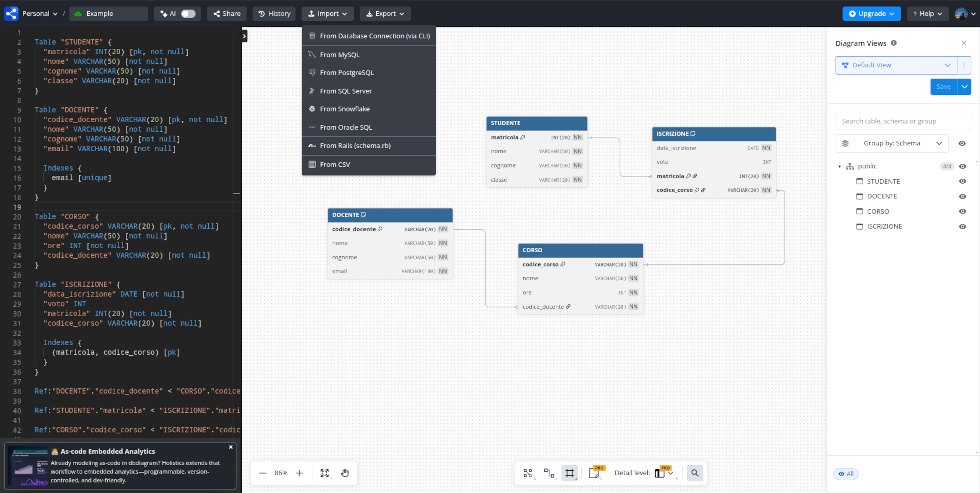
The import functions allow users to create a new schema or add new tables to an existing schema. Users can connect a database via CLI, upload .sql scripts from their device containing code written in major SQL dialects, including PostgreSQL, Oracle, MySQL, and SQL Server, or paste their content directly. The app also allows users to upload or paste schema.rb code, as well as upload or paste the content of CSV files.
Finally, users can export their work as an image, as a PDF, or as a .sql script readable by the main SQL engines, including PostgreSQL, Oracle, MySQL, and SQL Server.
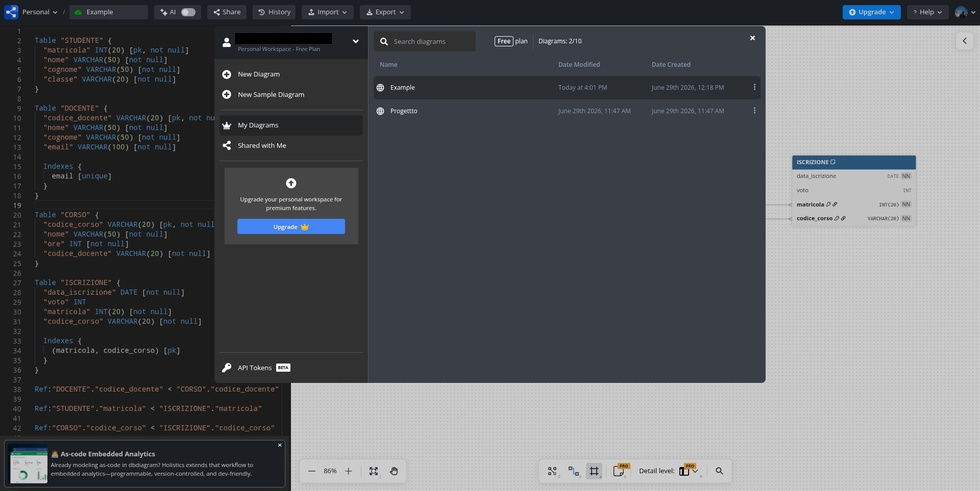
The screen below shows the personal dashboard, from which users can view the list of their projects, create new diagrams, open sample diagrams, and access diagrams shared with them by other users. The free plan allows users to create up to 10 projects.
dbdiagram.io can be used in an educational setting to:
 0/5
5
0/5
5
0/5
5
0/5
5
0/5
5
0/5
5
0/5
5
0/5
5
0/5
5
0/5
5
 Add comment









Copy link