


Enter all the desired criteria: the apps that satisfy them all will be searched; if a criterion is specified multiple times, only the last occurrence will be considered.
















































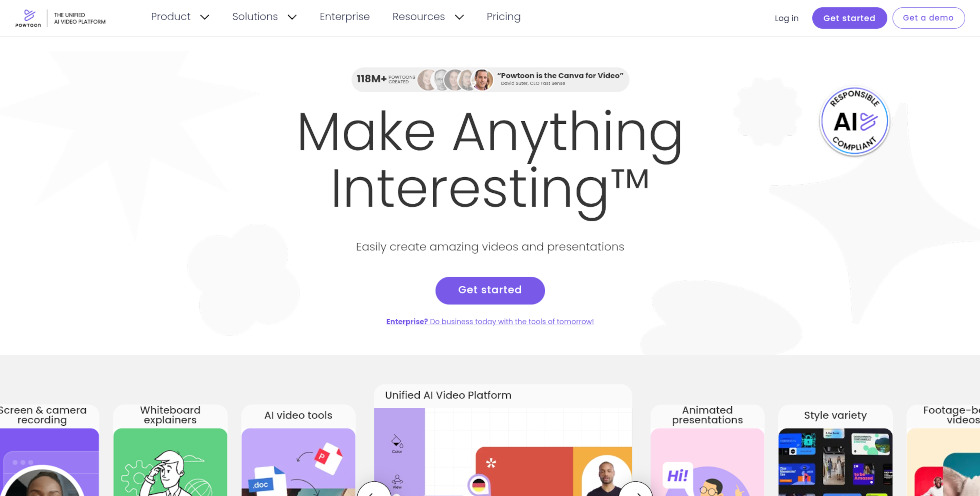
Powtoon is an application that allows users to create presentations and promotional videos enhanced with animations and graphic elements. The following is the Powtoon homepage, from which you can register by clicking 'Get started' or sign in via login. Registration is required to create digital content. The app is available in a free version; however, to access a larger number of templates and features, a monthly or annual paid subscription is available.
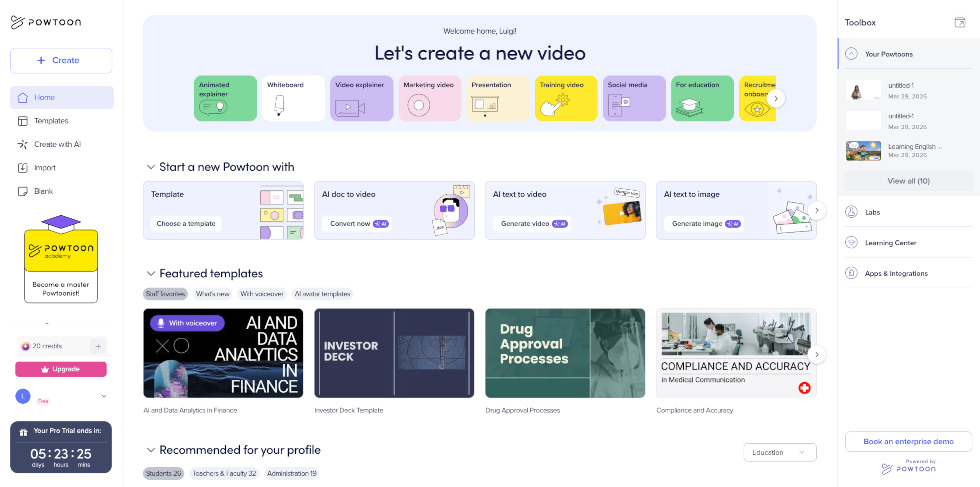
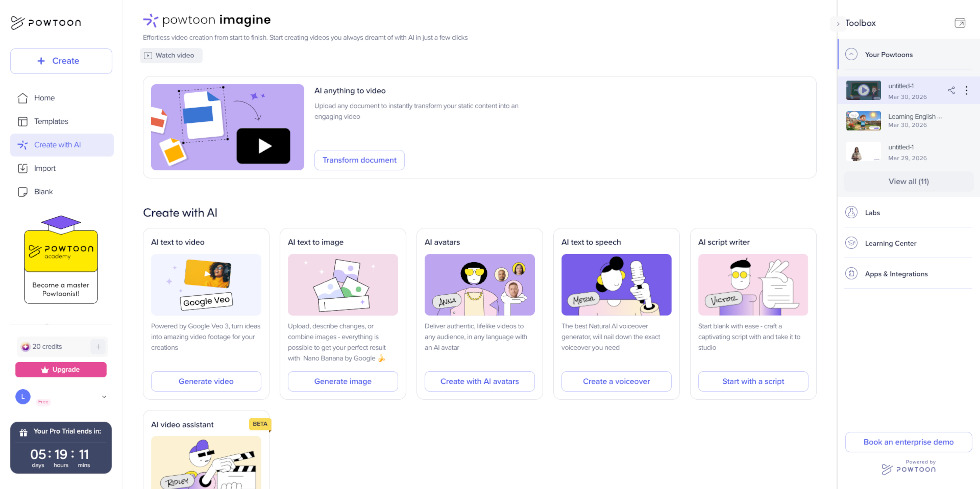
The following is the Powtoon dashboard, from which you can start new projects in several ways: starting from scratch ('Blank'), using pre-made templates ('Templates'), importing local files ('Import'), or creating with artificial intelligence ('Create with AI')—all options are accessible from the left-hand menu. Through the 'Create' section, you can also choose from different project types (such as animated videos, presentations, whiteboard, or content for social media and training), providing access to specific templates and tools. On the right side of the screen, you can view your previously created projects along with a selection of tutorials to guide you through the content creation process.
The following is the 'Create with AI' section, which serves as an alternative to starting a project from a template or a blank editor. From here, you can design a video presentation by leveraging the platform’s AI-powered tools at every stage. Specifically, you can generate a video script via text prompts, create voiceovers using text-to-speech synthesis, insert AI avatars, produce AI-generated images, and even automatically generate an entire video starting from a text description.
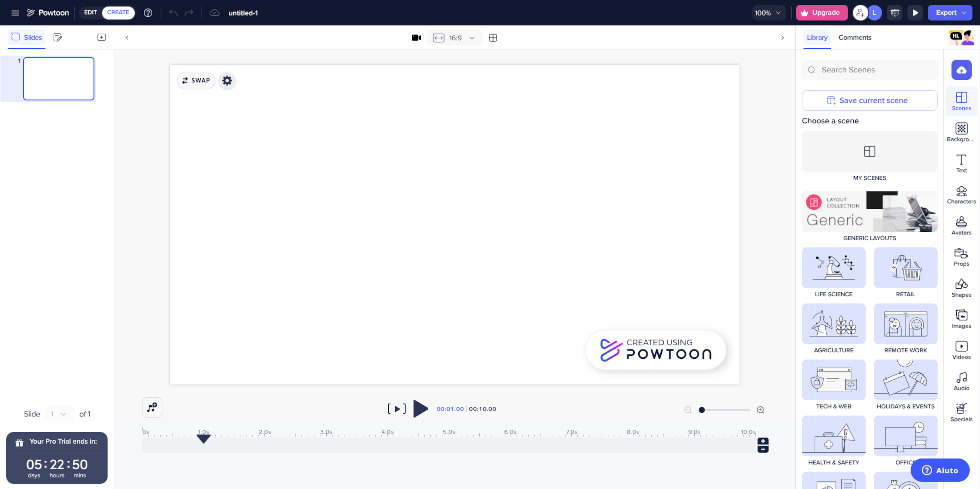
The following is the editing screen, where you can build your project. On the left, you can see the list of slides, while the center displays the preview of the selected scene. At the bottom, there is the timeline, which allows you to manage the duration and animation of individual elements.
On the right, you will find the menus for inserting and editing content such as layouts, backgrounds, text, images, videos, graphic elements, audio, and voiceovers, as well as AI-powered tools, such as avatars and automated content generation.
The editor also allows you to customize animations, transitions between slides, and synchronize audio with visual elements. In the bottom-right corner, the 'Help' button provides access to tutorials and the Help Center.
You can invite other users to collaborate on the project and add comments. Once completed, the content can be exported in various formats (such as JPG, GIF, or PPT) or shared directly online.
Powtoon can be used in teaching to:

 4.5/5
4.5/5
 5
4.7/5
5
4/5
5
4.6/5
5
4.8/5
5
5
4.7/5
5
4/5
5
4.6/5
5
4.8/5
5
 Add comment











Copy link