


Enter all the desired criteria: the apps that satisfy them all will be searched; if a criterion is specified multiple times, only the last occurrence will be considered.











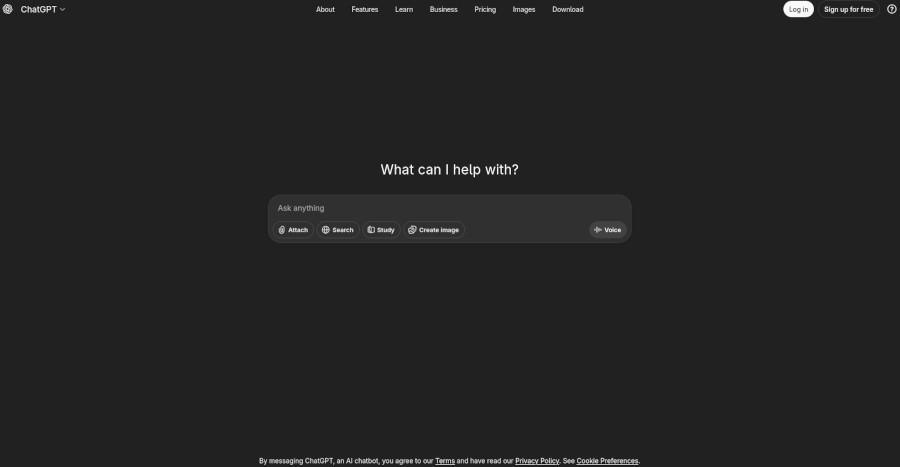
This is the screen that appears when ChatGPT is opened.
The chatbot can also be used without logging in. However, this mode comes with some limitations. In particular, users have access to a less recent version of the model, and the chat history is not saved. By logging in, users can access more advanced models, save their chat history, and take advantage of additional features.
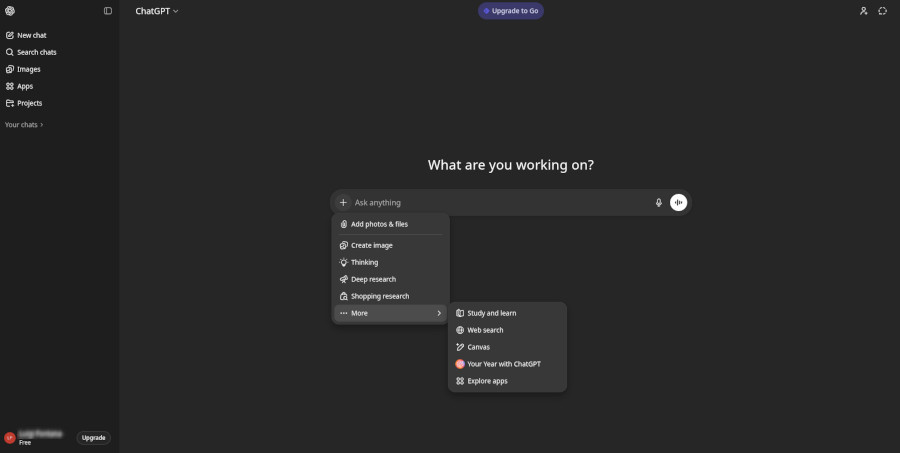
This is the dashboard of a ChatGPT account, from which users can send their first request to the chatbot.
To start the interaction, simply type a question into the text box below and press "Enter" to receive the generated response.
ChatGPT also offers several advanced features: users can dictate messages using voice input and use voice mode for more natural conversations; in addition, they can upload files (such as documents or images) for analysis and processing, create images from text descriptions, and use advanced reasoning modes (thinking) to receive more structured answers.
There are also tools dedicated to in-depth research (deep research) and web browsing (web research), which allow users to obtain more complete, up-to-date, and contextualized information directly within the platform. Finally, the “Study and Learn” option is designed for learning purposes: it helps users understand topics through step-by-step explanations, examples, questions, and exercises, encouraging active learning.
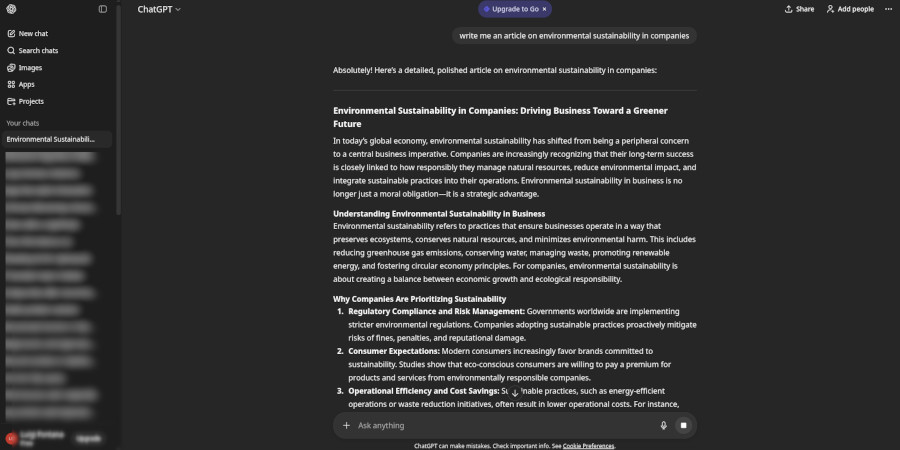
After generating a response, ChatGPT will create a sidebar accessible for continuing the conversation. You can initiate new chats using the "New Chat" button located at the top left. Each new chat will open in a separate tab, but it’s important to note that the chatbot will not retain the memory of conversations across different tabs.
ChatGPT can be used in an educational context to: ask questions on specific study topics, receiving immediate explanations and clarifications; provide suggestions and ideas for assignments and projects; obtain grammatical corrections and improve writing; engage in conversation exercises and practice foreign languages; create questions for tests and quizzes; save time in lesson preparation and tailor teaching to specific student needs. Moreover, thanks to the ability to create images from text descriptions, ChatGPT can help visualize complex concepts, stimulate creativity in artistic and design activities, support visual learning, and facilitate the understanding of abstract topics.
 A.I. toolsChatBots & virtual assistants
 Quizzes, forms, surveysStorytellingGamification
 Collaboration & Communication
 4.2/5
4.2/5
 5
4.4/5
5
4.6/5
5
4.8/5
5
4.1/5
5
5
4.4/5
5
4.6/5
5
4.8/5
5
4.1/5
5
 Add comment









Copy link